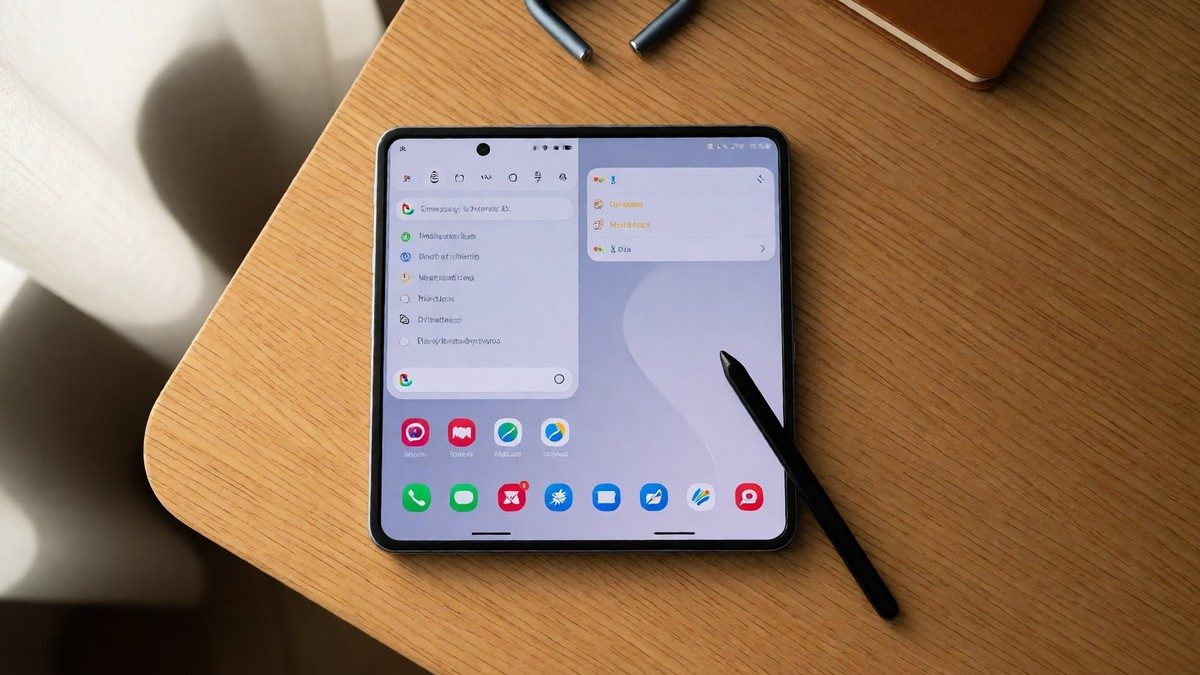
The Galaxy Z Fold 7 uses a Snapdragon 8 Elite chip and 12GB of RAM to manage intensive multitasking workflows across its expansive 8.0-inch Dynamic AMOLED 2X inner display which remains the largest in the series. This hardware makes the screen more capable than the 7.6-inch panel found on the older Galaxy Z Fold 6. I find the device feels more like a small tablet than a phone when unfolded. Because it weighs only 215g, the device feels significantly lighter than many standard glass-back flagship phones. This IP48 rating protects the moving parts from dust and freshwater immersion for up to 30 minutes.
The large screen area allows for unique workflows that standard phones cannot match in terms of sheer utility. Users can use the split-screen view to run two apps at once, such as a browser next to a notes app. One UI 7 facilitates this because users can drag and drop files between different applications in split-screen mode. The taskbar provides a way to keep most-used apps visible for quick access. Users can also use app pairs or trios to launch several apps simultaneously.
| Hardware Spec | Detail |
|---|---|
| Processor | Snapdragon 8 Elite for Galaxy |
| RAM | 12GB |
| Inner Display | 8.0-inch Dynamic AMOLED 2X |
| Weight | 215g |
| IP Rating | IP48 |
Software tools in One UI 7
One UI 7 introduces specific improvements to how the device handles text and notifications. The Galaxy AI 2.0 suite includes Note Assist and Chat Assist to help with document management and messaging. These AI tools allow users to boost productivity by selecting text for writing assistance without the need to switch between different applications. The Now Bar on the lock screen displays relevant activities from features like the stopwatch, music player, or recording tool, which reduces the need to unlock the device to see key information.
The redesigned camera interface in One UI 7 changes how users interact with the device by moving the primary controls to the bottom of the screen. Samsung moved the camera controls to the bottom of the screen to improve one-handed usage. This change places the resolution, filter, aspect ratio, and brightness settings right above the shutter button. The 200MP main camera sensor on the Fold 7 matches the quality of the Galaxy S25 Ultra, which is a significant upgrade for users who want flagship photography in a foldable. The new icon design also applies to the home screen and the Quick Settings tray. These changes aim to make the interface feel more cohesive and less cluttered than previous versions.
The system also includes advanced customization through the Good Lock app, which allows for deep personalization of the user interface. Users can use specific modules to design unique clock styles or fine-tune audio settings. Edge panels provide a place for favorite contacts and useful utilities like a flashlight or ruler. The Modes and Routines feature automates repetitive tasks based on location or the time of day. I find that these tools allow the device to adapt to my specific daily habits, which helps me maintain focus during long sessions. The interface also includes S Pen support for precise note-taking and drawing on the 8.0-inch display.
Real-world workflows and comparison
The inner display changes the way I handle long-form writing and technical work. I often keep a code editor open on one side while I read documentation on the other. This layout prevents the cognitive load of constant context switching. When I am training others on accessibility, I keep my training notes on one side and the demonstration app on the other. Flex Mode allows the phone to sit at an angle between 75 and 115 degrees for hands-free use. You should find the physical shift from a small screen to this much space quite obvious when you unfold the device.
The Galaxy Z Fold 7 is a better option than the Galaxy Z Fold 6 if the prices are similar. The Z Fold 6 is a smarter value if you can find it at a heavy discount. However, the Fold 7 provides a more refined hinge and a larger 8.0-inch screen compared to the 7.6-inch panel on the previous model. The Galaxy Z TriFold is even larger with a 10-inch display and the ability to run three apps side-by-side. The TriFold also supports standalone DeX mode for a desktop-like experience without an external display, which makes it stand out from the standard Fold 7. I find the TriFold much more capable for heavy work, though it is more fragile and costs closer to $3,000. For pure photography, the Galaxy S25 Ultra remains a stronger choice than any foldable.
Is the increased screen space worth the higher price if you mostly use the outer screen for quick messages?
The device stays useful for years because Samsung provides 7 years of OS and security updates. This support continues through at least 2032.