
The Nothing Phone (3) launched in October 2026, bringing a four-sensor array that includes a 50 MP main camera with an f/1.68 aperture and a 1/1.3-inch sensor. While the hardware is capable, many users miss critical manual controls that define the device’s potential. I found that default settings often mask the true dynamic range of the OmniVision OV50H sensor, leading to flat images in high-contrast scenes. The phone’s TrueLens Engine 4 processes images quickly, but it relies heavily on user input for optimal results in tricky lighting. Ignoring these specific adjustments means you are shooting at half strength, especially when trying to capture fast motion or low-light details.
Mastering the exposure triangle
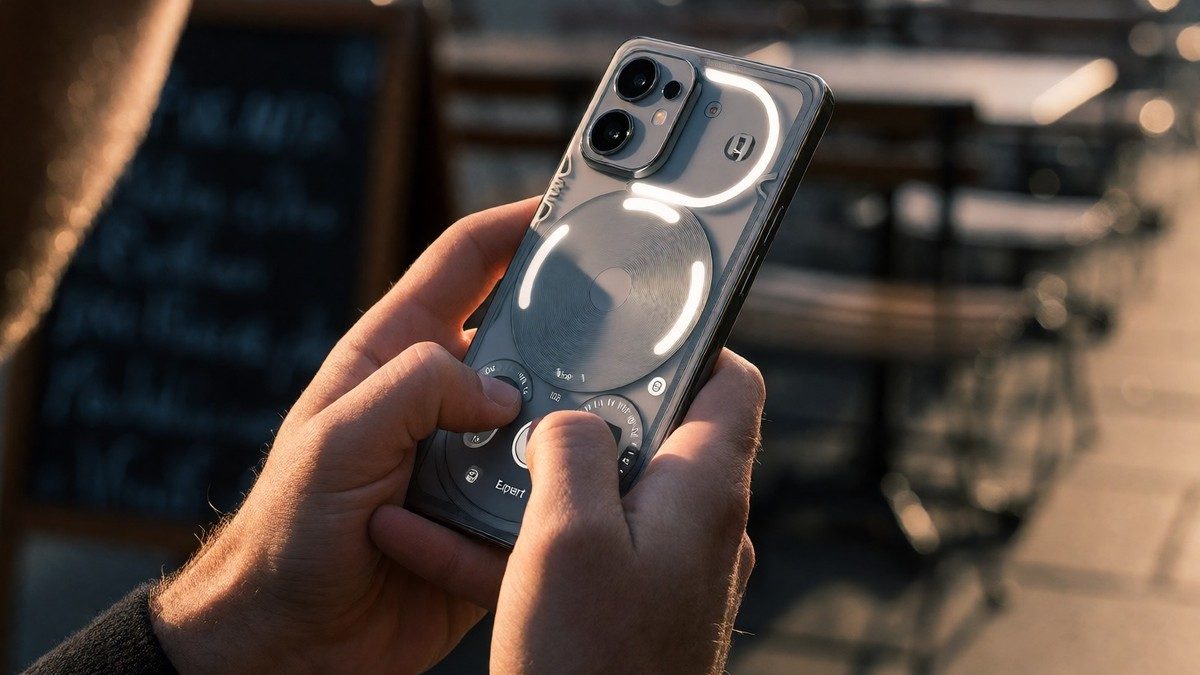
You need to understand the "exposure triangle" to get the most out of Expert mode. ISO controls sensor sensitivity, where higher values brighten the image but introduce noise. Shutter speed determines how long light hits the sensor; longer exposures create brightness but cause motion blur, while shorter speeds freeze action like waterfalls or dancers. Aperture remains fixed on this device, so you must balance the other two variables manually. For concert photography, I set the shutter speed to 1/500 to freeze performers, then raised the ISO to compensate for the reduced light intake. Conversely, capturing silky waves requires a slow shutter speed of 2 seconds, which forces you to lower the ISO to prevent overexposure.
| Setting | Function | Recommended Use Case |
|---|---|---|
| ISO | Sensor sensitivity | 100-200 for daylight, 800+ for night |
| Shutter Speed | Light duration | 1/1000s for sports, 10s+ for stars |
| White Balance | Color temperature | Match scene lighting for accurate tones |
Many users forget to adjust white balance, resulting in unnatural color casts under artificial lighting. The AF setting allows manual focus point adjustment, which is essential when using a tripod or focusing on off-center subjects. If you leave these on auto, the camera struggles with mixed lighting environments, producing inconsistent tones across the frame.
Zoom limitations and video gaps
The periscope telephoto lens offers 3x optical zoom and 6x lossless magnification, but quality degrades sharply beyond that. I noticed visible deviations in color and contrast compared to the main camera when switching between lenses in mixed shots. The ultra-wide angle camera uses a 50 MP sensor with a 114-degree field of view, yet it suffers from softer edges and limited dynamic range. These inconsistencies suggest that software fine-tuning is still needed to match the main sensor’s performance.
Video recording has significant restrictions that trip up new owners. You cannot switch between cameras while shooting at 4K 60 fps, which limits creative flexibility during vlogging sessions. Portrait video mode is entirely missing, a notable omission for a flagship device priced around €799. The Glyph Matrix can display a mirror toy for selfie framing, but it automatically deactivates when the camera app launches, preventing its use as a live viewfinder. This feature feels like a missed opportunity for content creators who want to use the main rear camera for selfies.
Does the lack of portrait video mode indicate a deeper issue with Nothing’s software priorities? I left that question unanswered because the answer might be disappointing. Focus on mastering the manual controls first; they provide immediate, tangible improvements to your photo quality without waiting for future updates.