
Setting up the R1 for task execution
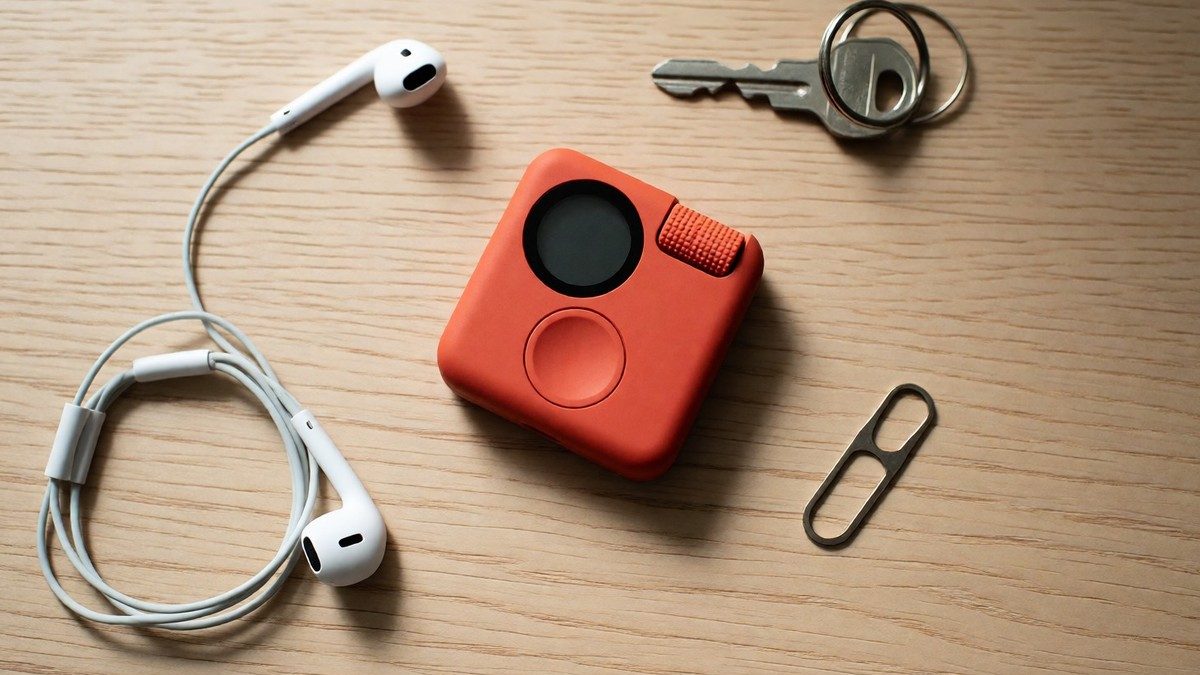
A collaboration with Teenage Engineering, the $199 Rabbit R1 runs on a Linux-based Rabbit OS. It uses a Large Action Model to navigate interfaces instead of just generating text. This model relies on imitation, meaning it observes a human using an interface and aims to replicate the process. The device measures 78mm by 78mm by 13mm and weighs 115g. To begin, you must log into your accounts through the rabbithole web portal to permit the device to manage services like Uber, Spotify, or hotel booking sites. The device requires a software update to access the LAM playground, which you can trigger by connecting the unit to power. I find the execution speed frustrating because a single command to search Google and add an item to an Amazon cart took 45 seconds to complete. The device uses a dedicated and isolated environment on the cloud to run your specific Large Action Model using the accounts you securely granted through the rabbithole web portal for every task you assign. Some testers claim the device fails to solve CAPTCHAs on sites like Walmart. Founder Jesse Lyu designed the device as a simple computer with no learning curve. The device costs $199, plus any applicable taxes, shipping fees, or duties.
Teaching the R1 new skills
The LAM playground lets you train the R1 to interact with the web. You can use the experimental teach mode to instruct the device on new skills. If you demonstrate an activity, the system takes about 30 seconds to process the new interaction for future use. One example involves teaching the device to remove watermarks from photos in Photoshop. You can use the push-to-talk button to trigger these commands without opening a traditional app. You should already know that voice commands require a stable internet connection to work. The device supports over 100 languages for translation sessions using GPT-4o. You can ask the R1 to launch a meeting assistant that saves a summarization of the conversation to the rabbithole. The R1 also handles specific reminders, timers, and alarms via voice. You can set a timer for a specific event like the perfect turkey or ask the R1 to remember a timer for your laundry. You can tell the R1 to remember your name or set a specific alarm to wake you up after you finish working. The device can also search Yelp for restaurant information. You can tell the R1 to remember specific information as a journal note. If you want the R1 to search for past conversations, ask it to look in the rabbithole. The "Magic camera" generates a pixel art image in the rabbithole within one minute of taking a photo without a prompt. You can show the camera a written document to build a spreadsheet or show it a spreadsheet to edit it. The device can change its volume or brightness via voice commands. If the AI begins to hallucinate, you can click the push-to-talk button five times in quick succession to reset the conversation context.
Hardware and privacy controls
| Specification | Detail |
|---|---|
| Processor | MediaTek MT6765 (Helio P35) 2.3GHz |
| Memory | 4GB RAM, 128GB storage |
| Display | 2.88-inch touchscreen |
| Connectivity | Bluetooth 5.0, 2.4G/5G WiFi, 4G LTE |
| Dimensions | 78mm x 78mm x 13mm |
| Weight | 115g |
The hardware includes a 2.88-inch touchscreen and an 8-megapixel camera. The camera has a physical block to ensure privacy when you do not use it. The device uses a gyroscope-enabled privacy mode to protect data. I find the battery life underwhelming. The built-in 2W speaker and the analog scroll wheel are part of the design. The device uses a SIM slot for 4G LTE connectivity and provides a battery life of 500 cycles at over 80% capacity. It charges at 500mA with a 1000mAh rate capacity. The device maintains connectivity via Bluetooth 5.0, 2.4G/5G WiFi, and 4G LTE. You can use voice commands to change the time zone to EST, CST, or MST. Will the company fix the unreliable AI responses?