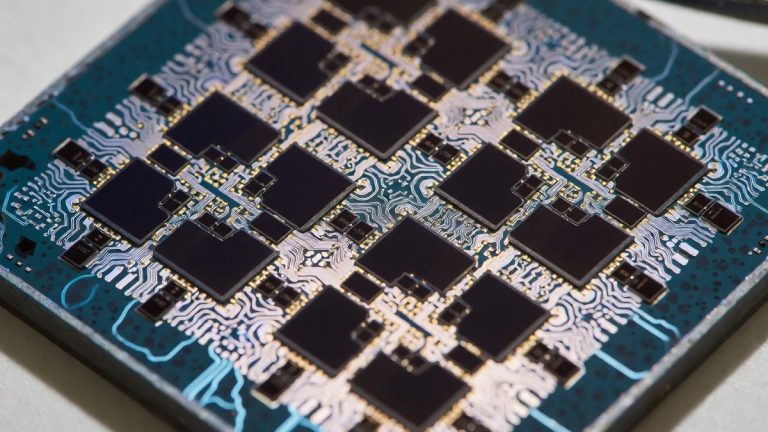
The Pixel 10a employs the Exynos Modem 5300 instead of the Exynos Modem 5400 found in the Pixel 9 series. This hardware choice places the device on the older 3GPP Release 16 standard. The Exynos 5400 uses the 3GPP Release 17 standard and delivers peak downlink speeds of 14.79Gbps, which exceeds the 10Gbps limit of the 5300. While the 5400 supports satellite connectivity, the 5300 lacks this capability. Users of earlier Pixels with the 5300 modem reported poor cellular reception and high battery drain during cellular data use. The 5400 uses a 4nm EUV process with Gate-All-Around transistors, but the 5300 relies on a 4nm EUV process without those specific transistor advancements. Because a ~3 dB drop cuts received power roughly in half, Pixel 10a devices in marginal signal areas often experience higher rate of dropped calls or audio dropouts, requiring toggling Airplane Mode to re-establish stable cellular sync. This modem issue also causes signal hunting where the device constantly pings towers to maintain a connection.
The hardware layout of the Pixel 10a differs from the Pixel 9, and these internal differences mean antenna attenuation varies between the models. Lower signal scenarios force the modem to transmit at maximum power, which triggers thermal throttling and increased battery drain.
Performance losses from thermal throttling
The Tensor G4 chipset experiences significant performance drops during heavy processing. Stress tests show the performance cores drop from 3.10GHz to 1.32GHz. The efficiency cores fall from 1.92GHz to 0.57GHz. These drops result in a 50 percent loss of maximum compute performance. The Pixel 10a reaches a peak temperature of 42.4°C during such testing. This heat level causes the system to throttle to prevent damage. Heavy tasks like 4K60 video recording for more than 4 minutes can trigger these thermal issues. One test of the Pixel 9 Pro XL showed that the Tensor G4 could drop to 50 percent of its maximum performance. Even MediaTek’s Dimensity 9300 lost 46 percent of its performance during the same stress test.
Performance fluctuates based on the ambient temperature. High ambient temperatures reduce the ability of the device to prevent thermal throttling for as long as possible.
Connectivity fixes and battery management
Users can reduce battery drain by changing the preferred network type to LTE. The user navigates to Settings > Network & internet > SIMs > Preferred network type to select this option. This setting stops the modem from working overtime to maintain a 5G signal. Disabling adaptive connectivity also prevents the device from switching from Wi-Fi to mobile data due to poor wireless connectivity. The Pixel 10a has a 5,100mAh battery, but the modem’s high power draw can still deplete it. Because the Pixel 10 models average 5-10 dBm lower cellular signal strength than the Pixel 9, the modem must transmit at maximum power more often. This constant transmission increases heat and drains the battery.
If you’re a typical user, you don’t need to overthink this. Switching to LTE helps maintain stability when 5G signals are weak or inconsistent.
Software updates and stability
Proper software maintenance requires distinguishing between security patches and feature drops. Security patches address kernel-level vulnerabilities like CVE-2024-32312. Feature drops often exceed 200 MB and require multi-stage reboots. Users should verify they have at least 4 GB of free space to allow for post-reboot cache generation. Following a 4-step checklist helps avoid common update errors.
- Check the update type in the update metadata.
- Review recent reports on community forums.
- Verify available free space.
- Time the install to avoid travel.
Users should avoid installing updates right before travel or presentations. Cumulative OTA cache can consume 2-3 GB of space over six months. Users should not use third-party update blocker apps because these tools interfere with SafetyNet attestation and break Play Integrity.
AI processing and media power
The 8GB of RAM on the Pixel 10a limits the device’s ability to run the full version of Gemini Nano. The Tensor G4 handles Gemini Live and Auto Best Take. These AI functions use the processor’s power for real-time multimodal inference. Gemini Live response times in lab tests were sub-800ms. The Now Playing feature also requires the microphones to stay active and the processor to match audio patterns against a local database. This activity consumes power throughout the day. Users can instead use the Google Song search tile in the Quick Settings panel for manual searches.
The Tensor G4 remains a known quantity for developers. It handles daily tasks and Android upgrades well, even if it lacks the raw power of flagship chips.
Display and interface power usage
The 6.3-inch Actua display runs at 120Hz. The Always On Display (AOD) can consume 1% of battery capacity every hour. Users can save power by using "Lift to check phone" or "Tap to check phone" instead of AOD. Setting a schedule to switch to Dark Mode at 7 PM and back to Light Mode at 7 AM also saves energy. The device uses Material 3 Expressive for its interface.
The display provides bright colors and saturated imagery. Users who prefer more visibility during the day can switch to Light mode, but Dark mode helps preserve battery.
Charging speeds and hardware constraints
The Pixel 10a supports a maximum wired charging speed of 23W. A full charge takes approximately 95 minutes. This speed lags behind competitors that offer 67W or higher. Wireless charging provides only 7.5W. The 5,100mAh battery relies on these slower speeds to maintain thermal stability. After 15 minutes of charging, the battery reaches only 23 percent.
The design prioritizes battery longevity. Slower charging speeds reduce heat and protect the lithium-polymer cells over the seven years of supported updates.
Modem generation comparisons
The difference in modem capabilities defines the user experience between the Pixel 9 and Pixel 10a.
| Feature | Exynos 5400 | Exynos 5300 |
|---|---|---|
| 3GPP Release | 17 | 16 |
| Peak Downlink | 14.79Gbps | 10Gbps |
| Satellite Support | Yes | No |
The Exynos 5400 uses Fan-out Panel Level Packaging (FOPLP), which makes it more efficient than the 5300. The 5300 is linked to the poor cellular reception and battery issues seen in the Pixel 6 and Pixel 7 series. Will the switch to MediaTek in the future finally stabilize the connectivity issues seen in the Exynos generations?