
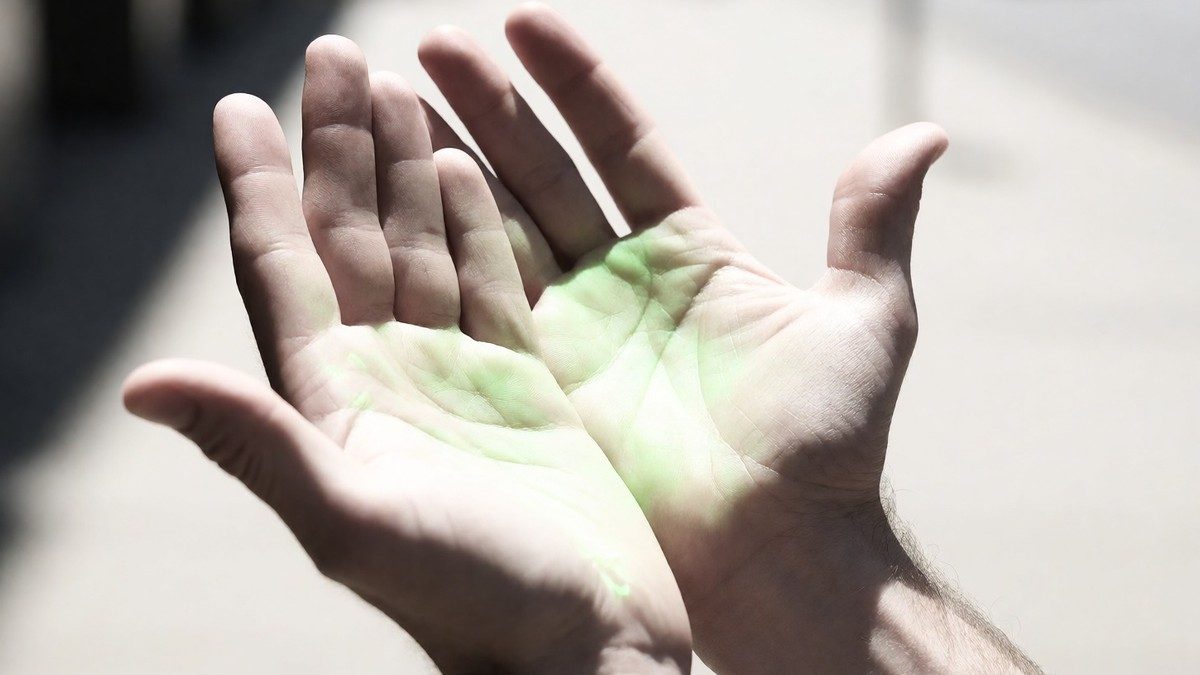
The laser projector produces a dim image that disappears in bright light. The device projects green virtual imagery onto your palm at an operating distance of 20 to 40 cm. The Verge describes the 720p resolution as low quality. If you use the Pin outdoors, the Washington Post says the projection becomes basically unreadable in the sun. You will face difficulty reading text when the sun hits your hand. The 3D depth sensor and the optical sensor capsule attempt to guide these interactions, but they do not fix the visibility problem. I find the green light too weak for outdoor use. This laser beam scanning projection device provides a field of vision of 18.2 degrees wide, 13.3 degrees tall, and 22.4 degrees diagonal. The optical sensor capsule and touchpad use Corning Gorilla Glass Victus. The device uses GPS, GLONASS, Galileo, and BeiDou for position tracking.
Frustrating Gestures
You should prepare for a frustrating experience with the gesture-based interface. I struggle to select the correct menu options because the recognition feels imprecise. The system requires pinching and tilting motions to navigate the UI. Wired says the interface stays overly sensitive and slow to navigate. If you tilt your hand too much, the cursor moves past the icon you want and lands on the thing next to it. CNET finds that pinching feels awkward, especially when you keep your palm open. You might also find that tilting to enter a passcode or select numbers becomes a hassle. The Verge reports that users often fail to select the correct icon on their first attempt. I find these interaction systems hard to memorize. If the hardware cannot interpret your natural hand movements, how will you complete a simple text message? The interface uses a touchpad that recognizes a variety of finger movements like taps, swipes, and two-finger instructions. You can use the touchpad to change volume or skip songs. The device uses an accelerometer, gyroscope, magnetometer, GPS, and ambient light sensor to track these motions. Using the projected interface to run through old text messages is a chore according to Wired.
Hardware and Value
I recommend skipping this device because it fails to outperform a smartphone. The $699 price tag and the $24 monthly subscription for a T-Mobile connection create a high cost for a device that responds slowly because of its heavy reliance on the cloud network and the need for constant internet access. The hardware contains an octa-core Qualcomm Snapdragon CPU with a 2.1 GHz clock speed, 4GB of RAM, and 32GB of eMMC storage. It also contains a 13MP camera with a 120 degree field of view and Dual Antenna MIMO for cellular connectivity. The power system uses an internal 1.1 Wh battery and an additional 1.79 Wh external battery. Marques Brownlee called the device the worst product he has ever reviewed. The device also gets warm, and The Verge notes the battery can feel like a hand warmer against your skin. The device supports Bluetooth 5.1 and can play music through the Tidal app, but The Verge found the connection to be broken. The 13MP camera captures photos with a resolution of 4208×3120 pixels and a 120 degree field of view. This is different from the Rabbit R1, which costs $199 and uses a 2.88-inch touchscreen and a rotating camera. The device includes a Trust Light and a Trust Lock to control camera and microphone activation.
| Specification | Detail |
|---|---|
| Processor | Qualcomm Snapdragon |
| RAM | 4GB |
| Storage | 32GB eMMC |
| Camera | 13MP |
| Projection Distance | 20 to 40 cm |
| Price | $699 |
| Monthly Subscription | $24 |